
How it works
Publishing flow
VidSEO is built around a simple sequence: define defaults, add a video, attach transcript content, insert the shortcode, and publish a page that is easier to read as text.
The sequence inside WordPress
Open VidSEO settings
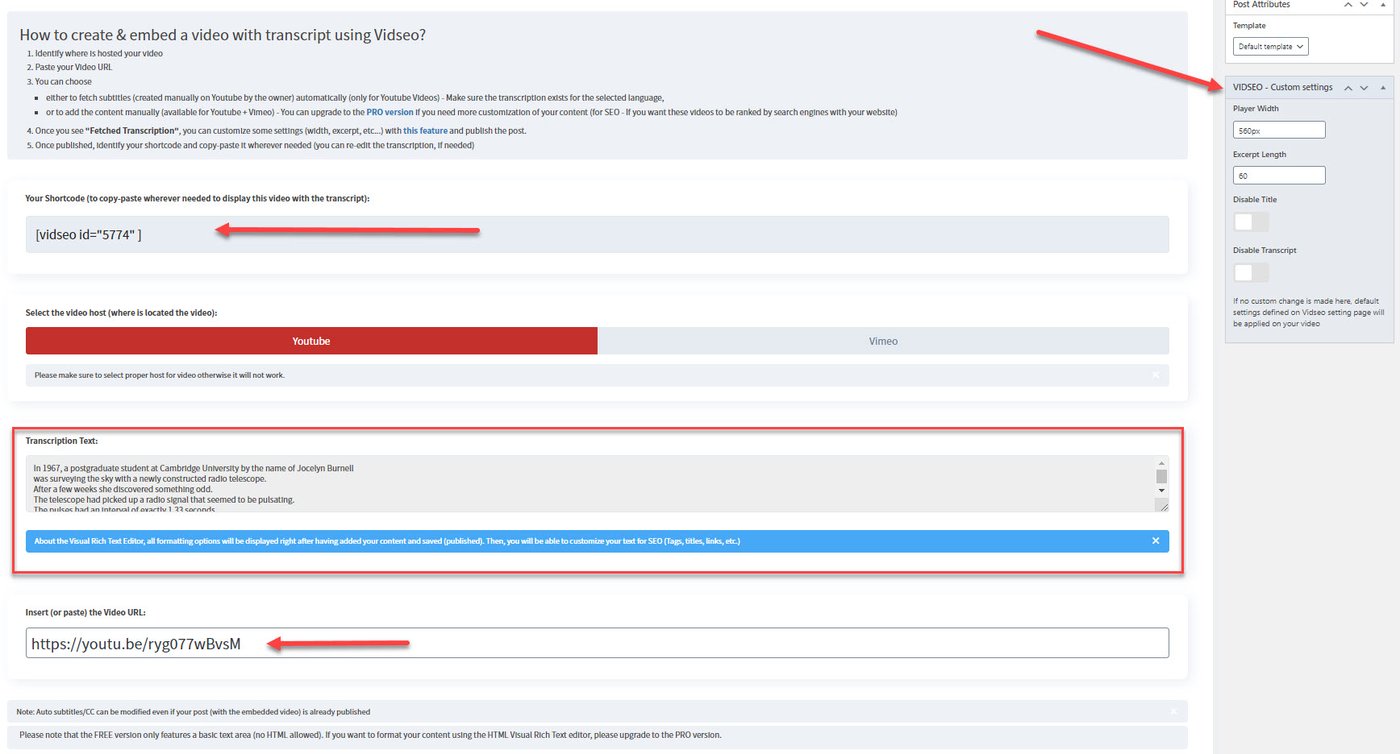
Start by defining the default behavior for transcript visibility, excerpt length, title display, and player options.
Add the video URL
Choose the platform and paste the YouTube or Vimeo URL you want to publish.
Attach transcript content
Retrieve existing YouTube subtitles when available or add transcript text manually.
Adjust the presentation
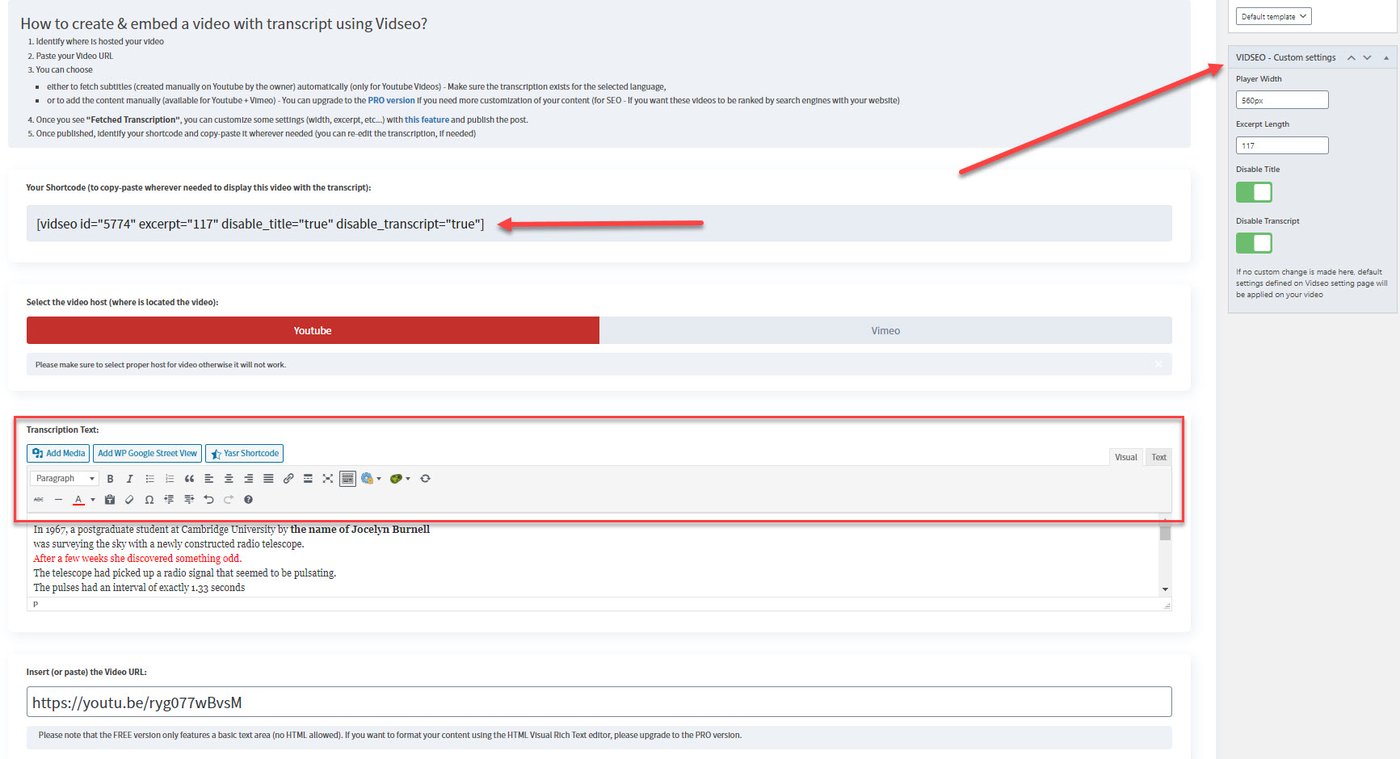
Control excerpt length, title visibility, transcript visibility, width, captions, and other relevant settings.
Copy the shortcode
Use the generated shortcode in the post, page, or product where the video and transcript should appear.
Publish the page
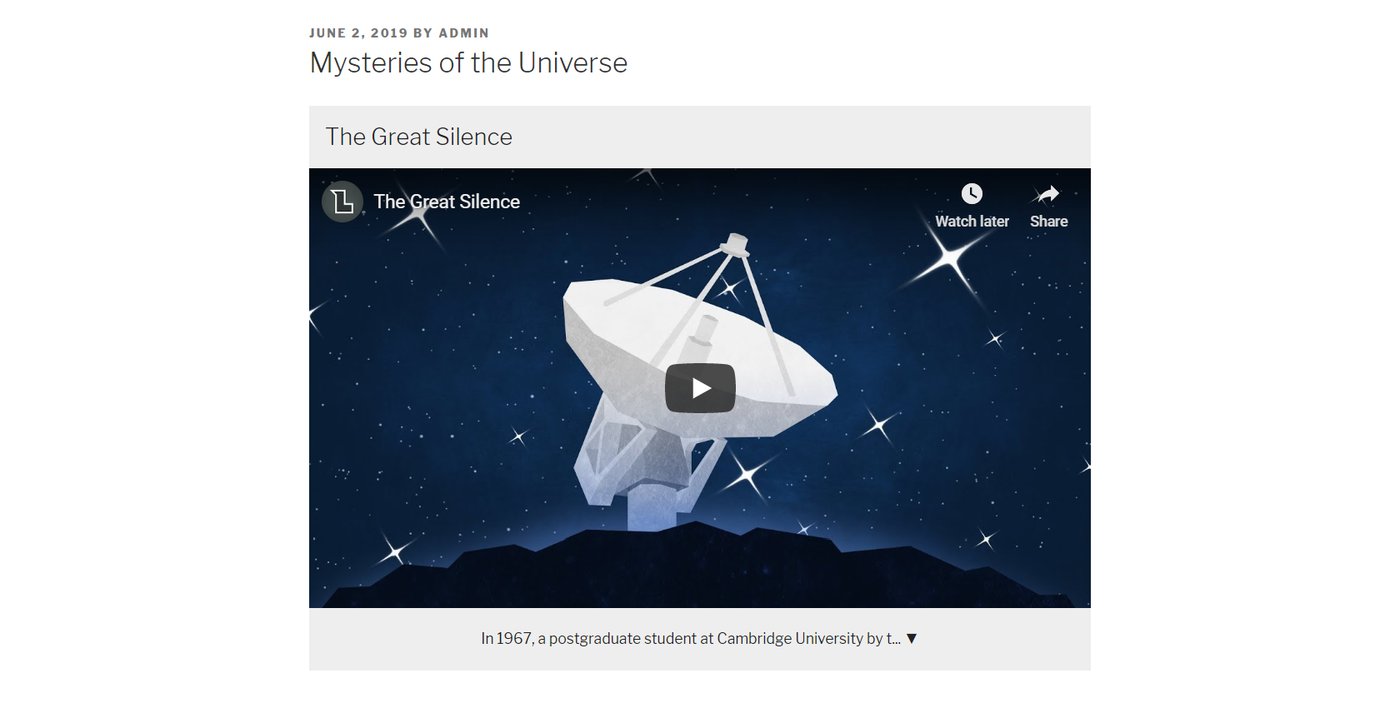
The resulting page now includes an embedded video plus a readable HTML transcript surface.
Screens from the actual workflow
Why the workflow matters
Interpretability
Publishing readable text is concrete.
The value does not come from a vague promise. It comes from exposing transcript text in the page itself, near the embedded video, where it can actually contribute to understanding.
- No separate inference layer is required to guess what the speaker meant
- No need to send users or crawlers to a separate transcript file
- No need to turn a product page into an abstract theory page
Boundary
What still remains outside the product
- Transcript accuracy remains an editorial responsibility
- Rankings and citations still depend on external systems
- Formatting choices still affect readability and context
Ready to apply it?
Continue with the practical documentation or move directly to the WordPress distribution page.