
VidSEO transcript plugin for WordPress
Video transcript embedding for WordPress
Expose video transcripts as native HTML inside the page.
VidSEO makes spoken video content readable in the page DOM so search engines, screen readers, and language models can read what the video actually says.
Use it when a page depends on explanations hidden inside a YouTube or Vimeo video and you do not want that meaning locked behind playback alone.

Why teams use VidSEO
Product demonstrations
Important explanations remain accessible even when the visitor does not watch the entire demo.
Tutorials and guides
Spoken steps become readable text that is easier to scan, reuse, and revisit.
Interviews and long-form video
Quotes and explanations stay visible instead of remaining buried in a playback timeline.
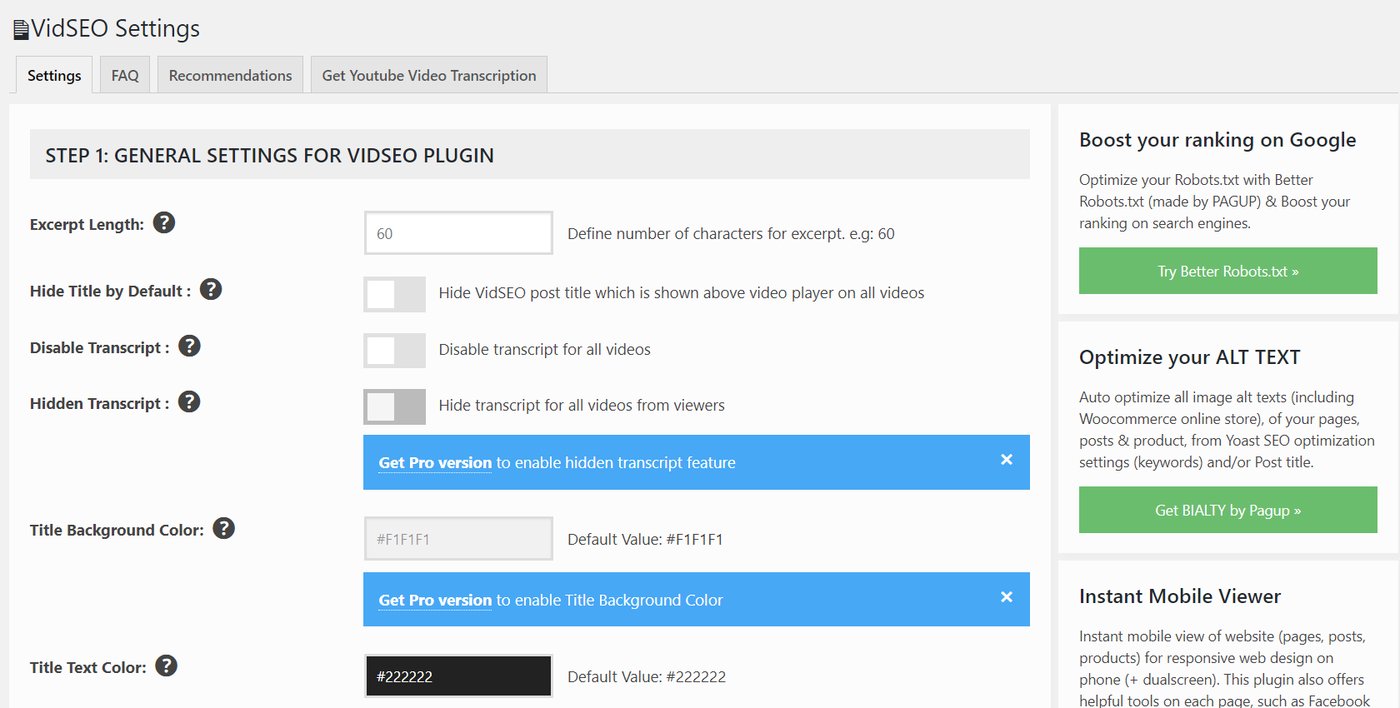
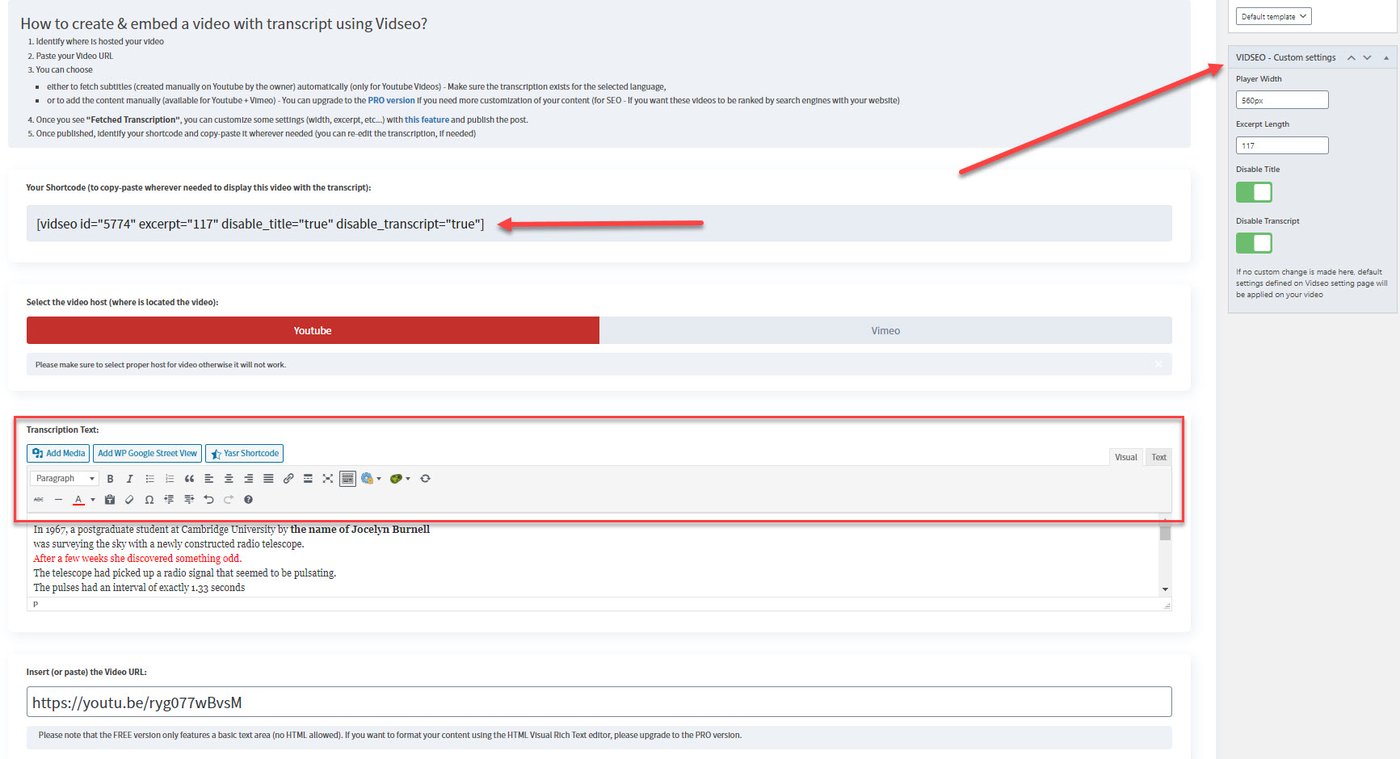
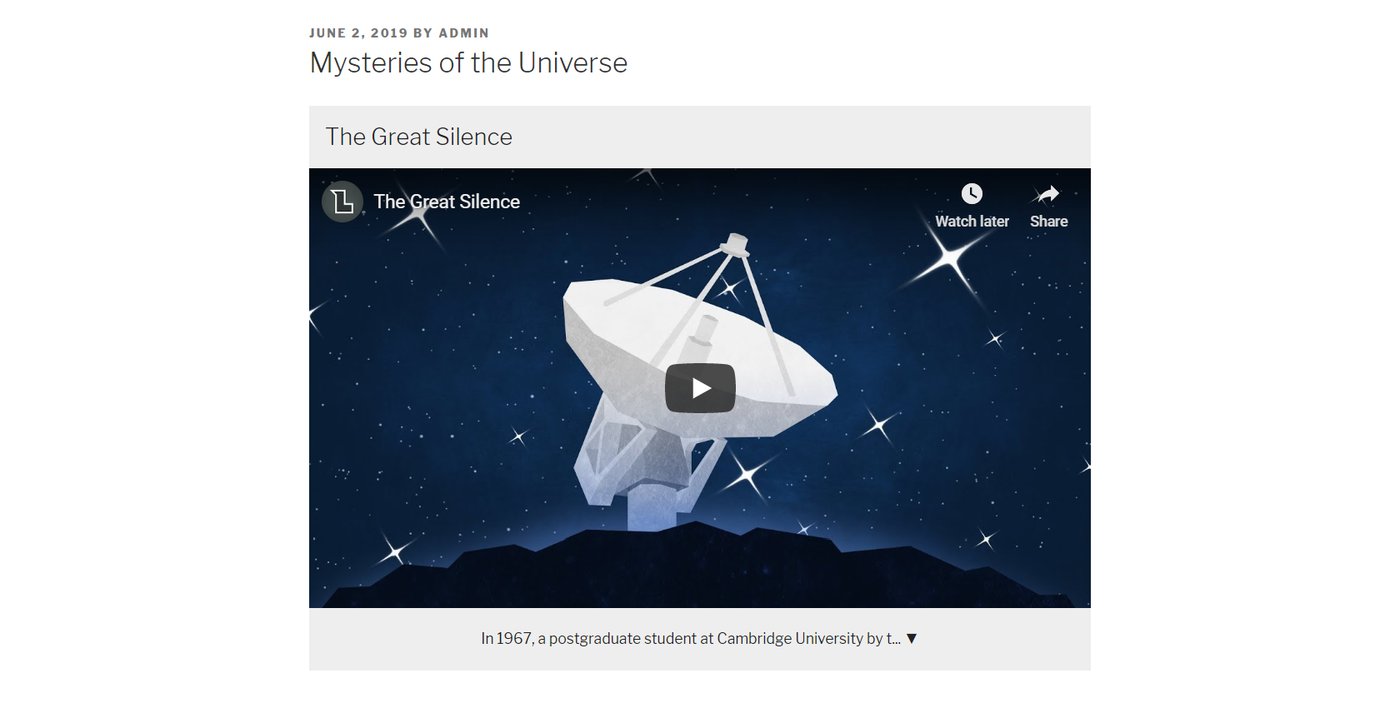
How the workflow looks in WordPress
Product boundary
What VidSEO does
Concrete transcript exposure, not invented meaning.
- Embed YouTube or Vimeo videos
- Associate each video with a transcript
- Render transcript text as HTML in the page
- Support a shortcode-based publication workflow
What it does not do
No opaque rewriting layer.
- No invented facts
- No transcript summarization or rewriting
- No automatic SEO guarantees
- No synthetic meaning beyond the visible transcript
WordPress.org snapshot
Public proof
200+ active installs
The public plugin listing already shows live adoption, not just a mock product page.
Public feedback
4.2 / 5 public rating
The public WordPress.org listing currently shows 6 reviews and a 4.2 / 5 rating for the plugin.
Compatibility
Tested up to WordPress 6.9.4
The public WordPress.org listing currently presents VidSEO as compatible with modern WordPress installs.
Snapshot source: the public WordPress.org plugin page as checked in March 2026. Values can evolve.
Choose the next page
Use the docs for the workflow, the comparison page for upgrade decisions, and the blog for transcript-first publishing patterns.